
Back to start
Pick device2Install3Start class
Set up on consoleConsole + a computer (Windows/Mac) together.
- Buy Minecraft in your console storeAbout Switch $27 · Xbox $19 · PS $18 — check the store for the exact price. Switch needs Nintendo Switch Online.
- Install the Aleph Kids desktop app on a computer (Windows/Mac)The console runs Minecraft only; the computer runs the Aleph Kids desktop app, which handles the voice conversation with Annie. (The phone/tablet app cannot be used as the console companion — computer app only.) Download it at alephlab.ai/app.
- Join a class — follow the screensFirst, start the class from the Aleph Kids desktop app by tapping Start class. Once the voice check with Annie passes, the connection details appear on screen. Consoles cannot add a server directly, so you then change the DNS on the console and connect through BedrockConnect — follow the screens below. (The screens below are for Nintendo Switch; Xbox and PS use the same method, just with a slightly different Settings/DNS location.)
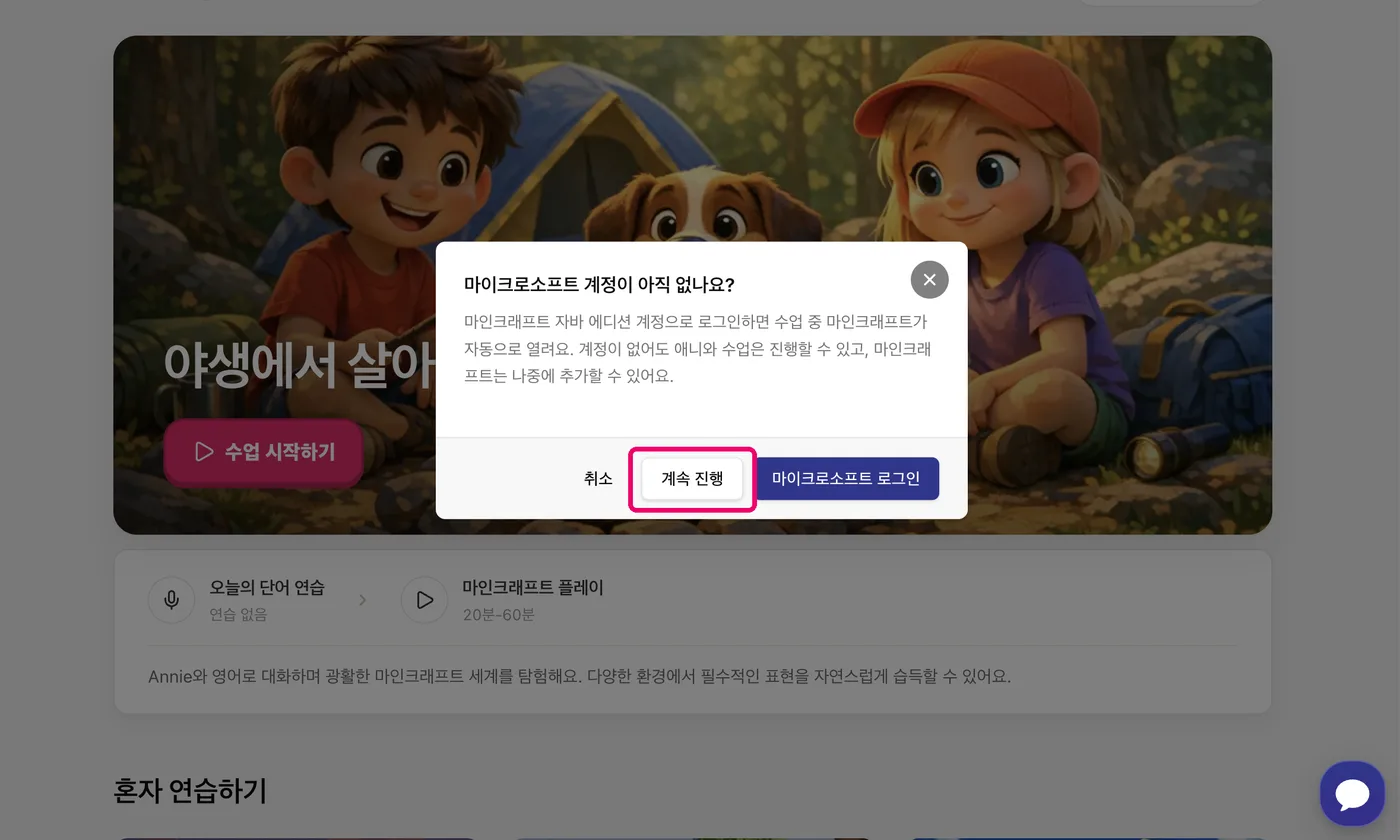
After you press 'Start class' in the desktop app, this dialog appears. You are playing on the console, so choose 'Continue' (계속 진행) — the Microsoft sign-in happens on the console. Once connected, be sure to meet Annie in the game and have a conversation! In the tutorial, after a short chat, come back to the Aleph Kids app to try the different modes. (Watch the video: Nintendo Switch setup ↗)📷 View step-by-step screenshots (10)▾
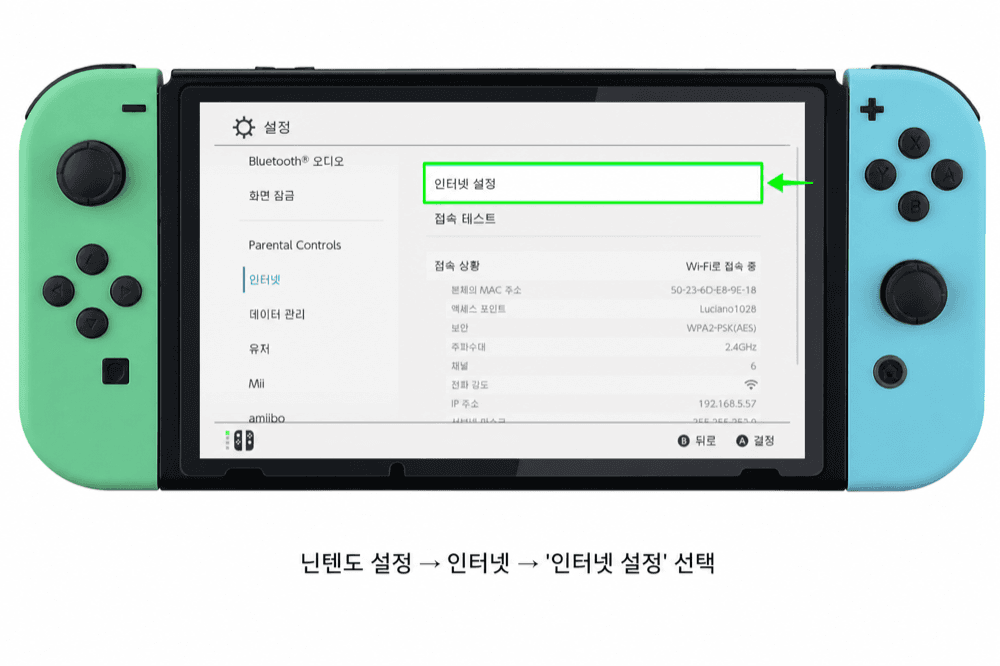
1) Switch Settings → Internet → select 'Internet Settings'. 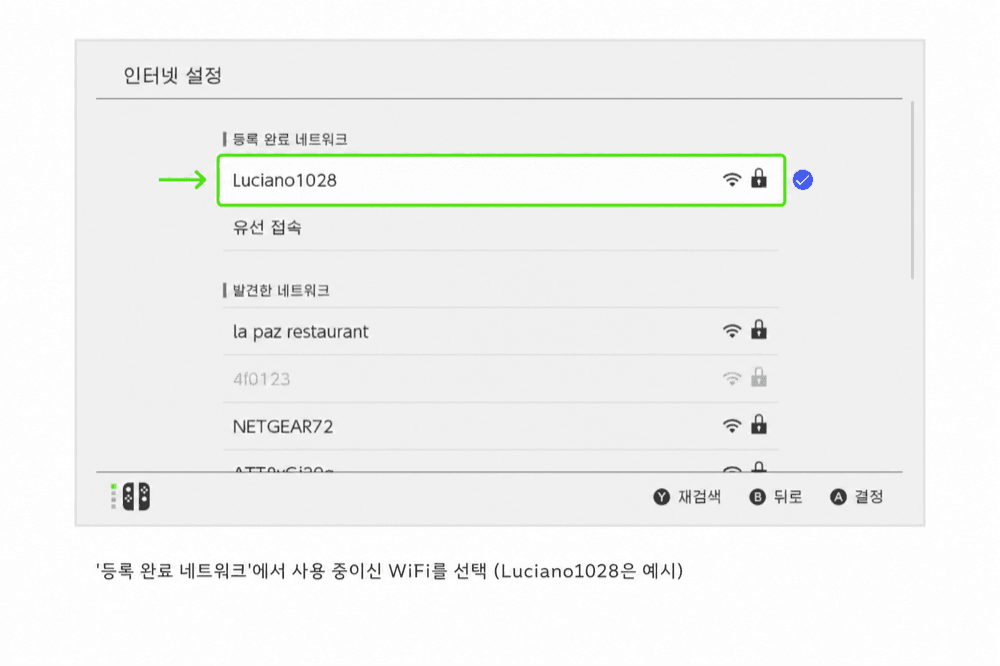
2) Under 'Registered Networks', select the WiFi you are using (Luciano1028 is just an example). 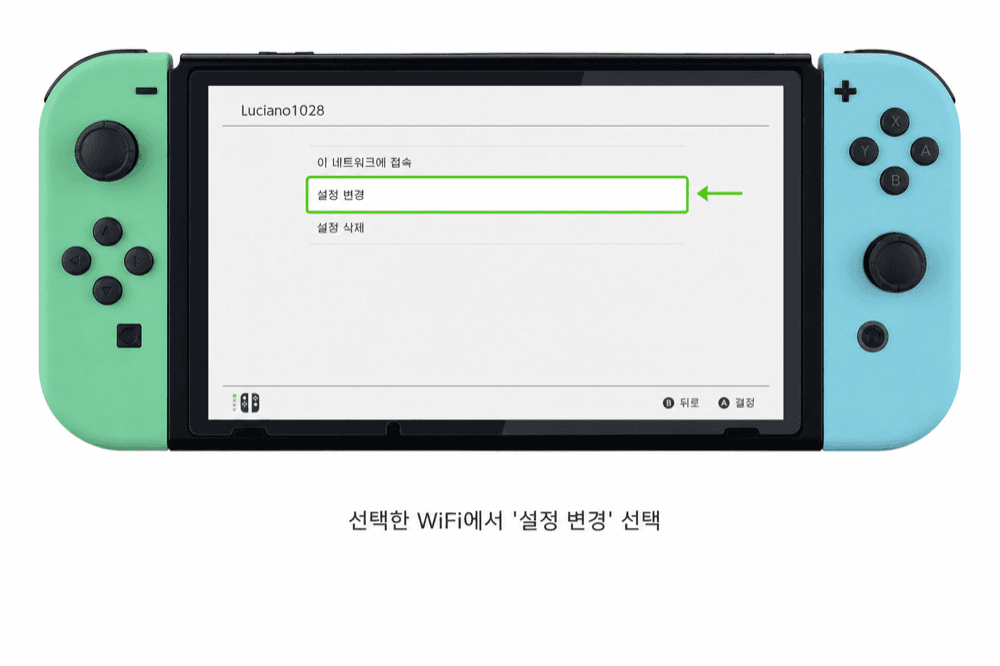
3) On the selected WiFi, tap 'Change Settings'. 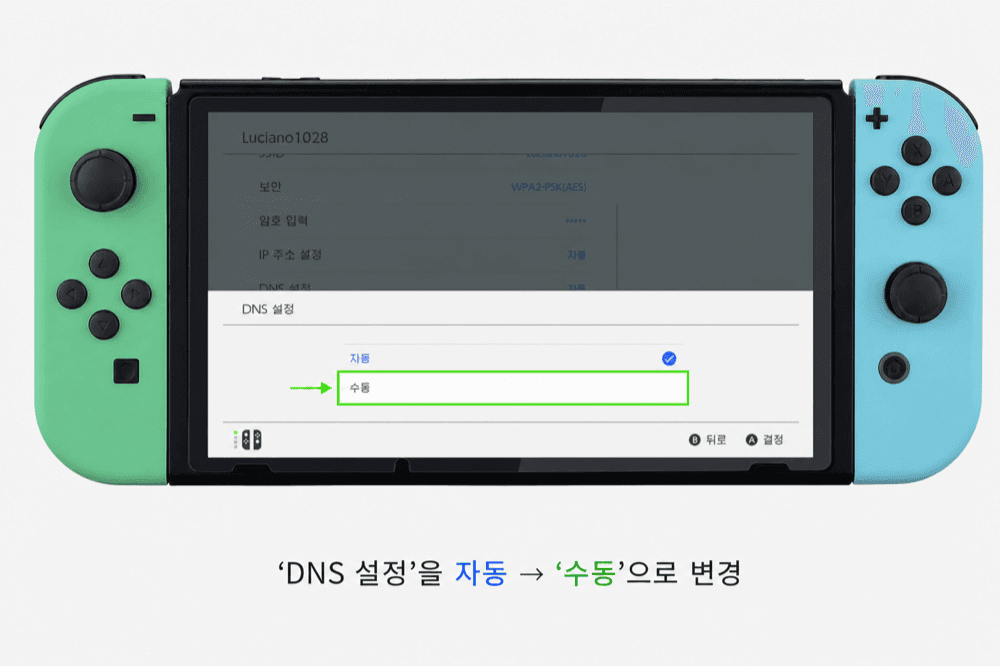
4) Change 'DNS Settings' from Automatic to 'Manual'. 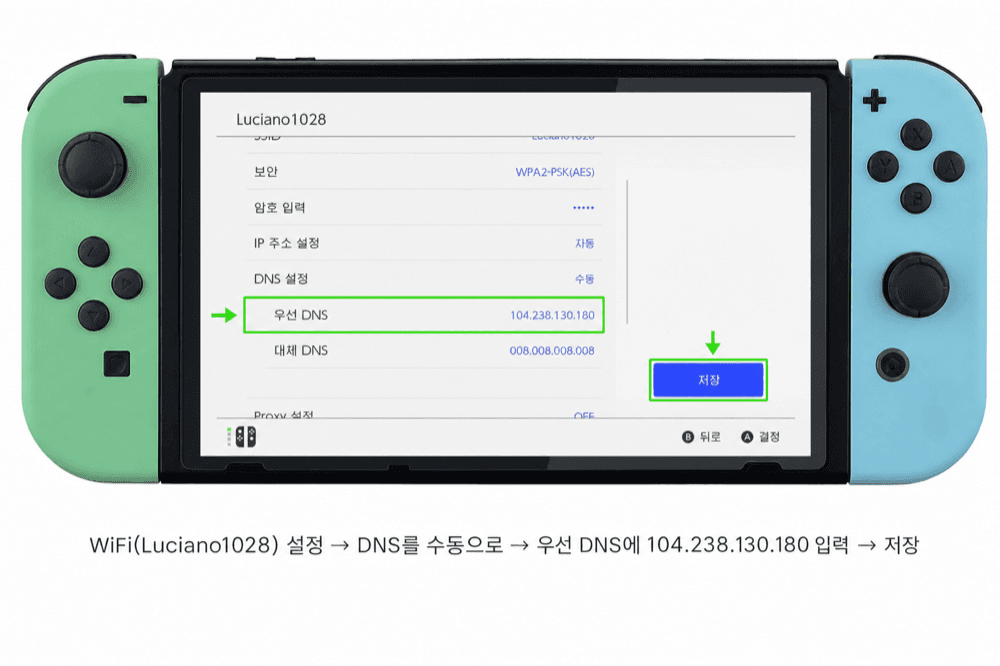
5) Enter 104.238.130.180 as the Primary DNS. 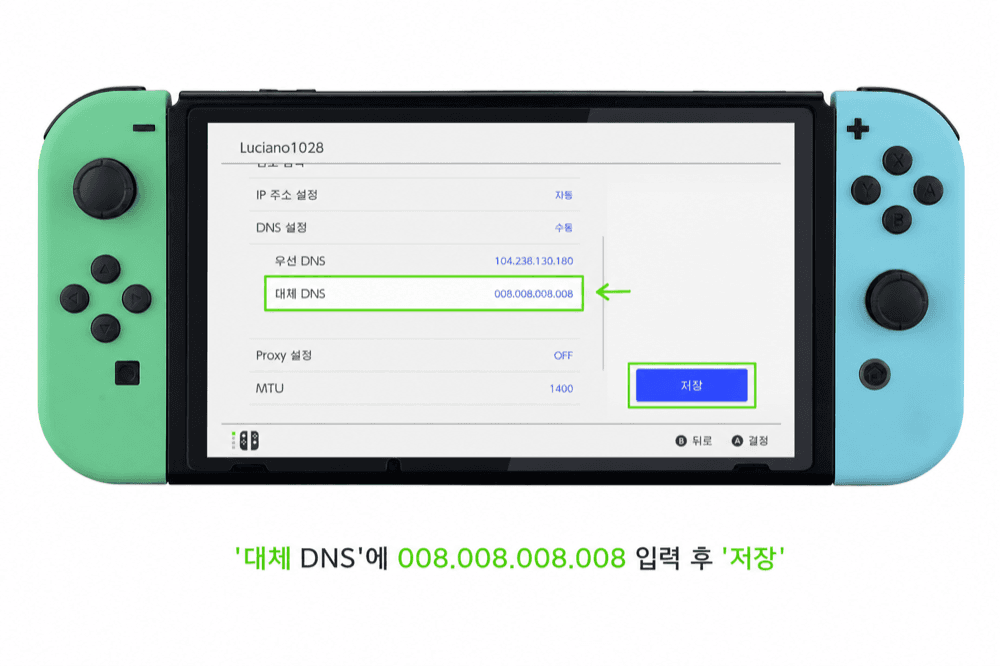
6) Enter 008.008.008.008 as the Secondary DNS, then Save (for BedrockConnect). 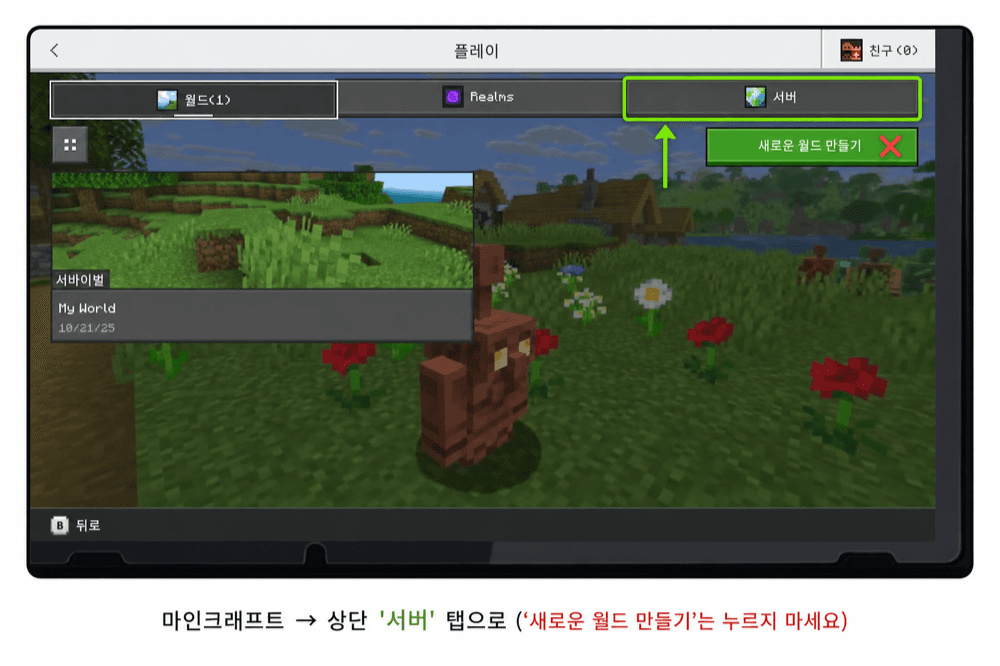
7) Launch Minecraft and open the top 'Servers' (Featured Servers) tab — do NOT tap 'Create New World'. 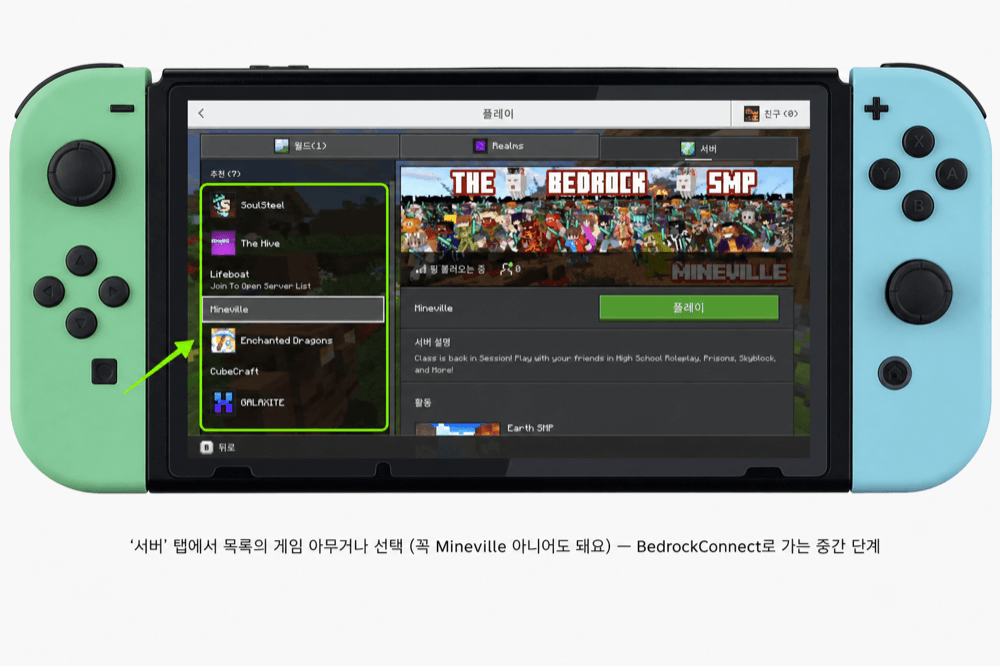
8) On the 'Servers' tab, tap ANY featured server in the list — it does NOT have to be Mineville. ⚠️ You are not actually playing it; this is just an intermediate step to reach BedrockConnect. 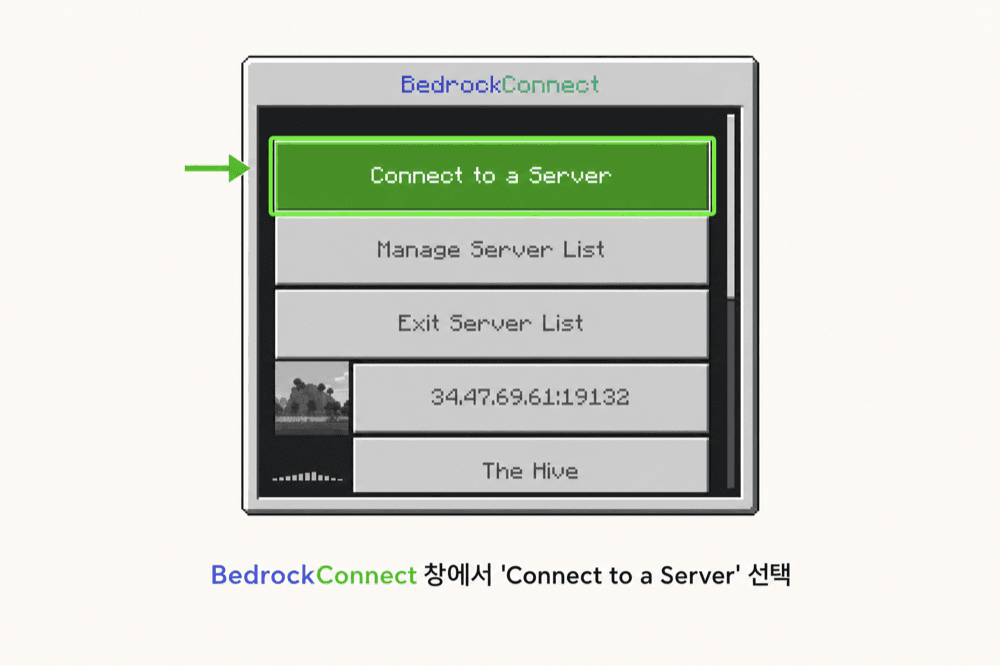
9) After a moment the BedrockConnect screen appears — choose 'Connect to a Server'. 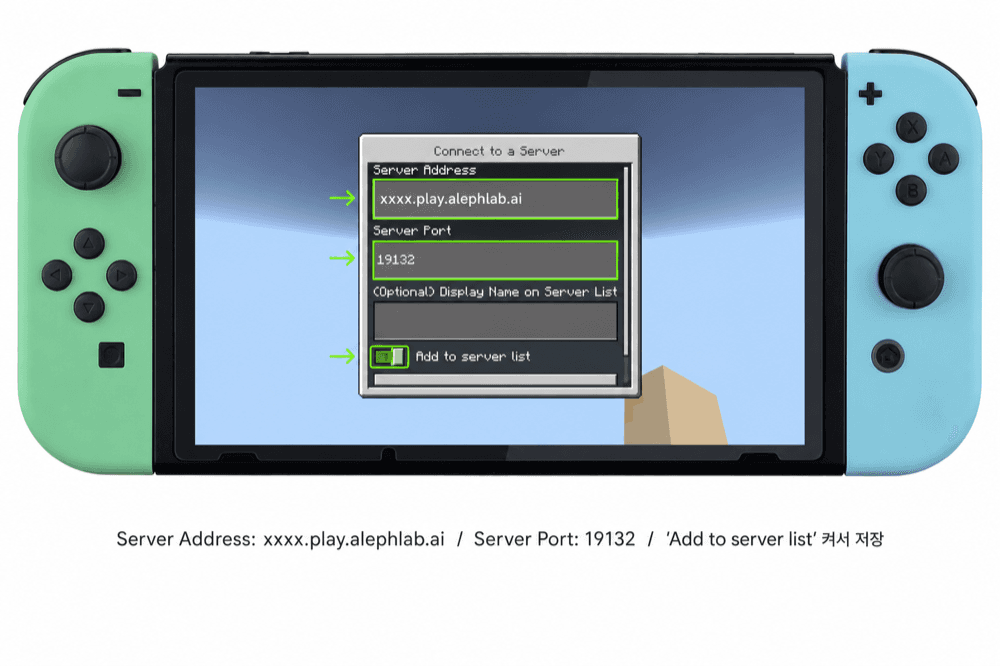
10) Enter the xxxx.play.alephlab.ai address (shown when class starts) into Server Address, keep Server Port 19132, and turn ON 'Add to server list' to save it (no retyping next time) → connect!
Console setup is the hard path. Consoles need a DNS change, which makes setup difficult. If you can, install Minecraft on a phone/tablet or a computer and run class there instead.
Add the address only once. Duplicates cause U-000. Remove extra copies from the server list.