
Back to start
Pick device2Install3Start class
Set up on mobile / tabletOne device, nothing else needed.
- Install Minecraft BedrockApp Store or Play Store (about $10). Check the store for the exact price. Sign in with a Microsoft account after launch.
- Install the Aleph Kids mobile appSearch for Aleph in the App Store or Google Play and install the Aleph Kids app.
- Join a classTick these off in order. No server address to type!
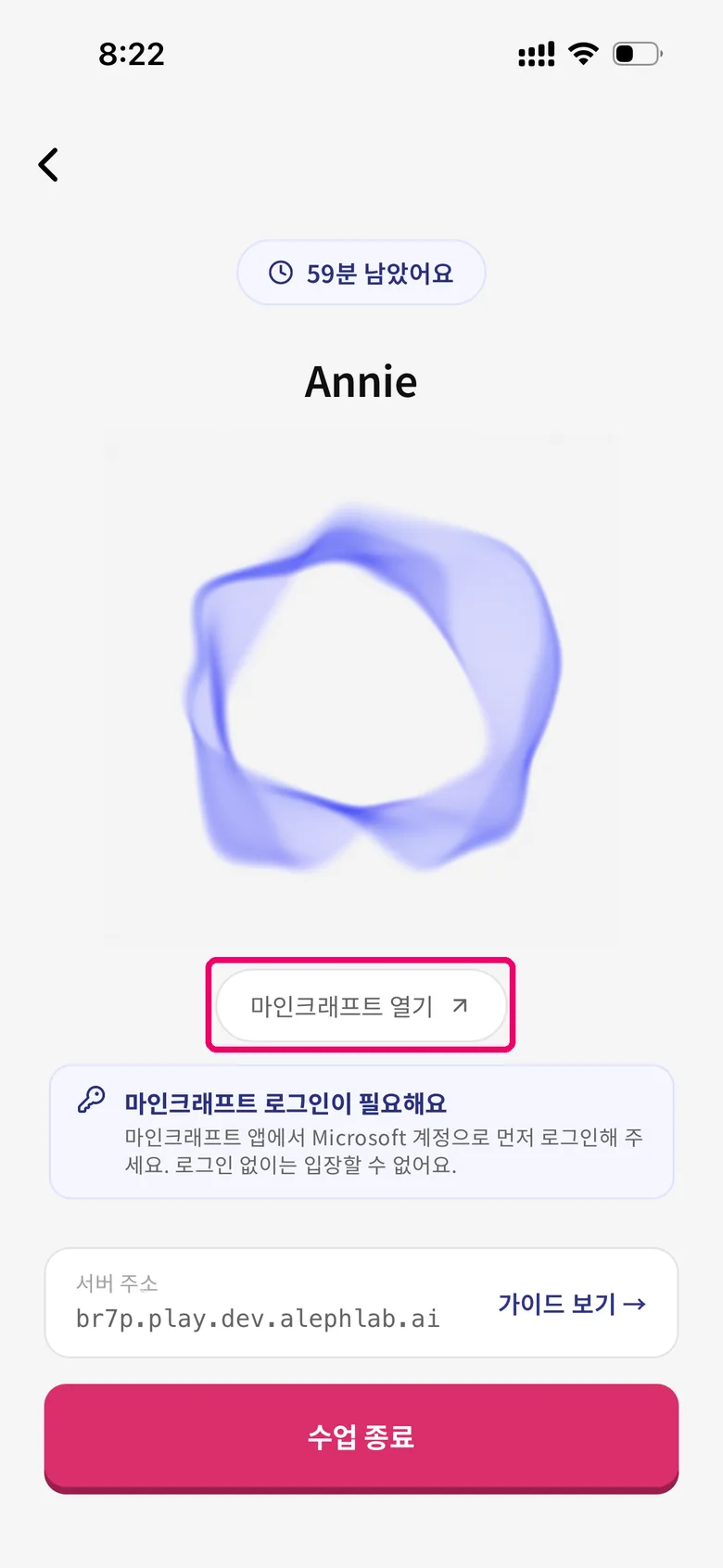
1) The Aleph Kids class screen. If you see 'Minecraft login required', sign in to Microsoft inside Minecraft first, then tap 'Open Minecraft'. 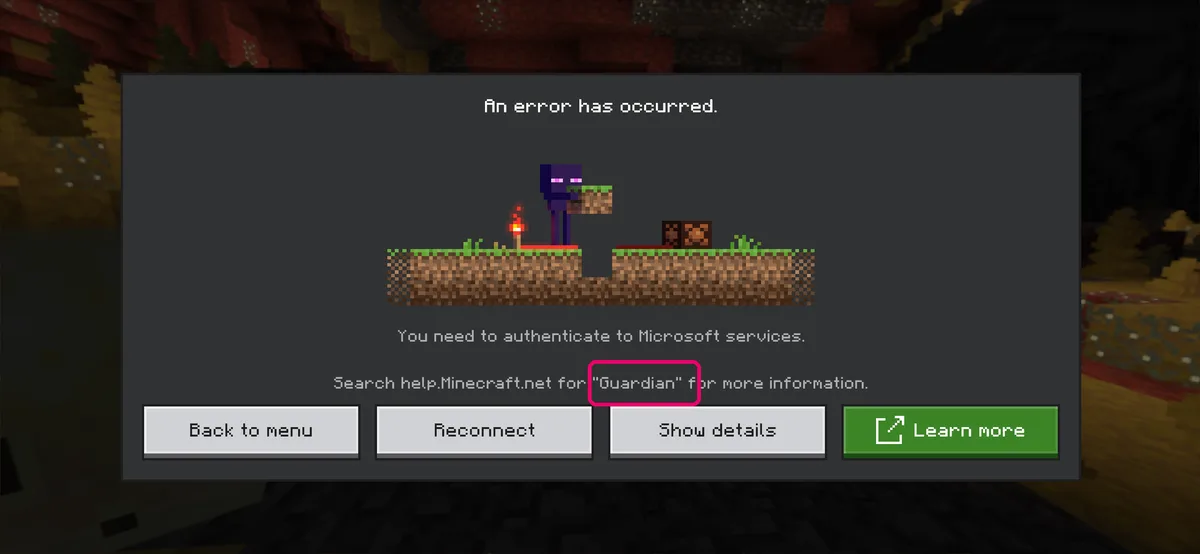
2) If Minecraft shows this Guardian error (You need to authenticate to Microsoft services), you are not signed in. Sign in with your Microsoft account and tap Reconnect.
Network. Wi-Fi is recommended. To play on mobile data, turn on Settings → Profile → "Use Cellular Data" in Minecraft.
One-device flow. Voice and game hand off inside one app — you don't need a second device like consoles do.
If the colors look dull or washed out. In Minecraft, set Settings → Video → Mode → Fancy (화려하게). It gives the most vivid look on almost every device. (Vibrant Visuals / 선명한 비주얼 only renders correctly on certain high-end devices.)
If Annie isn't responding. Your mic may not be reaching her. First, check for an Aleph Kids update in the App Store · Play Store, then fully close and reopen the app. If Annie still can't hear you, check that microphone permission is ON in your phone Settings.